


Bright Food Photography Preset Collection
Bright Food Photography Preset Collection
Couldn't load pickup availability
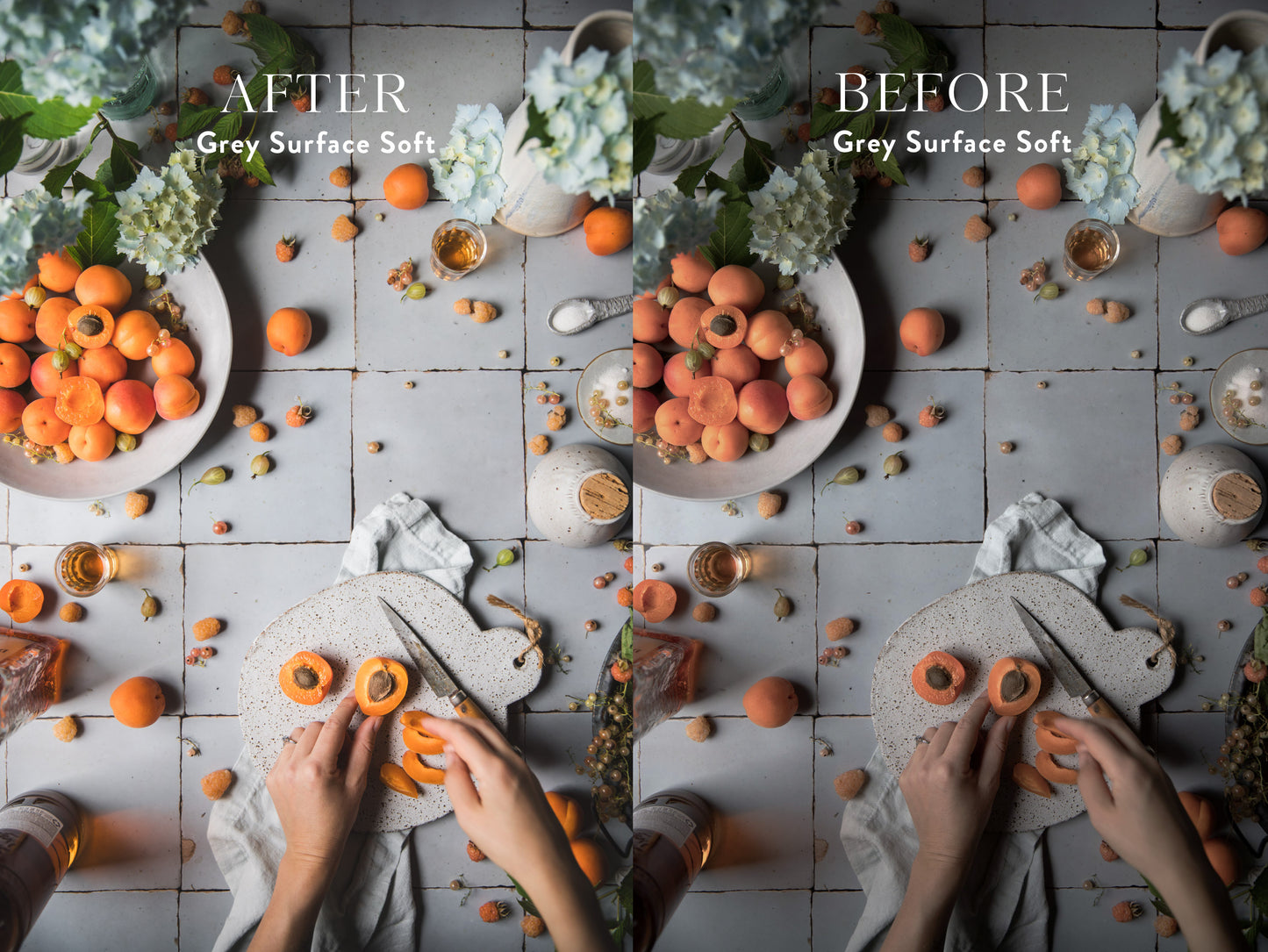
In this collection, you'll be getting my 25 go-to Bright + Ethereal food photography presets and my best-use guide to utilizing the presets in Lightroom. These presets are based on a combination of brighter lighting styles, as well as shooting surfaces, like white marble, pale linen, and light-colored vintage tabletops.
✓ 25 Bright Food Photography Lightroom Presets
✓ My Preset Best-Practices Guide + Detailed Installation Instruction PDFS
✓ Lifetime access + resends if you lose the files
✓ Presets are .xmp files and .lrtemplate files, and are compatible with all versions of Adobe Lightroom, Lightroom Classic, Camera RAW, and more!


Full Product Information
What are Presets?
Presets are basically pre-saved edits for image files. They're a quick and easy way to elevate your photos, edit them quickly, inspire your post-processing, and make your images look extra eye-catching.
What's special about these Presets?
These presets focus on a brighter light + mood—each preset is specifically calibrated towards a specific shooting surface, like white marble, or specific light + tone effects on your scene, like crispness, fade, and color cues . This makes it easy to find the exact Preset that fits + flatters your food photos and shooting surfaces!
Can I use them if I shoot on my Phone or my Camera?
Yes! These presets are nuanced and will work both on footage shot with a camera and on footage shot with a smart phone. To use them on the Lightroom CC Mobile app, you must be an Adobe Creative Cloud member, and you just need to install them on Lightroom on your desktop which will then sync with the Lightroom Mobile (details on this in the PDF instructions in the download).
What's Included + How to Use Them
Once you purchase the presets, you'll be sent a digital file that includes the preset files, Preset Installation Guide PDF, and my Preset Best Practices Guide PDF. Using them is super easy and simple! All you need to do is:
- Take a photo with your camera or smart phone
- Use one of the compatible photo apps (below) to apply the preset
- Export your photo, and that's it! Easy peasy!
You'll also get a PDF guide explaining how to make the best use of your new presets, and have lifetime access to the presets and installation tutorial + preset guides!
Compatibility
These presets can be used with Lightroom Classic, Adobe Camera Raw, Lightroom, Lightroom Mobile (with Creative Cloud membership), and more!
Both .lrtemplate files (for users with Lightroom version 7.2 and earlier) and .xmp files (for users with Lightroom version 7.3 and later) are included. Due to the digital and non-returnable nature of this product, all sales are final and no refunds are available.